
Modern BMWs are packed with software-controlled functions, yet many useful options remain disabled, limited by the original configuration, or reserved for higher trim levels. BMW coding gives enthusiasts a practical way to personalize the vehicle without replacing the factory interface. With the right OBD adapter, an app such as BimmerCode, and a compatible BMW, you can unlock hidden features that make everyday driving more convenient.
This interest is growing as drivers expect their cars to behave more like connected devices. Recent discussions around Apple CarPlay and Android Auto show that owners want simple access to navigation, music, calls, and smartphone controls. Even when a manufacturer adds support later, coding can sometimes activate available functions that are already present in the vehicle’s hardware. It is important to understand the difference between software coding, hardware activation, and aftermarket upgrades before getting started.
What Is BMW Coding?
BMW coding changes selected settings inside the vehicle’s electronic control modules. These settings can affect comfort, lighting, driver information, audio behavior, and connectivity. Unlike engine tuning, coding normally does not increase horsepower. Instead, it configures existing features to better match your preferences.
Popular examples may include a digital speed display, memory for the automatic start-stop system, convenient window operation, mirror folding when locking, welcome-light adjustments, and changes to warning chimes. Depending on the BMW model, chassis, software version, and installed equipment, you may also be able to adjust Apple CarPlay presentation, enable additional display options, or change how the rear camera and parking systems behave.
Compatibility is essential. A feature can be visible in coding software but still require a specific control module, antenna, camera, display, or factory option. Coding cannot create hardware that is not installed.
How BimmerCode and an OBD Adapter Work Together
BimmerCode is a user-friendly coding application designed to communicate with supported BMW control units. The app connects to the vehicle through a compatible wireless or wired OBD adapter. The adapter acts as the communication bridge between your smartphone and the BMW’s diagnostic port.
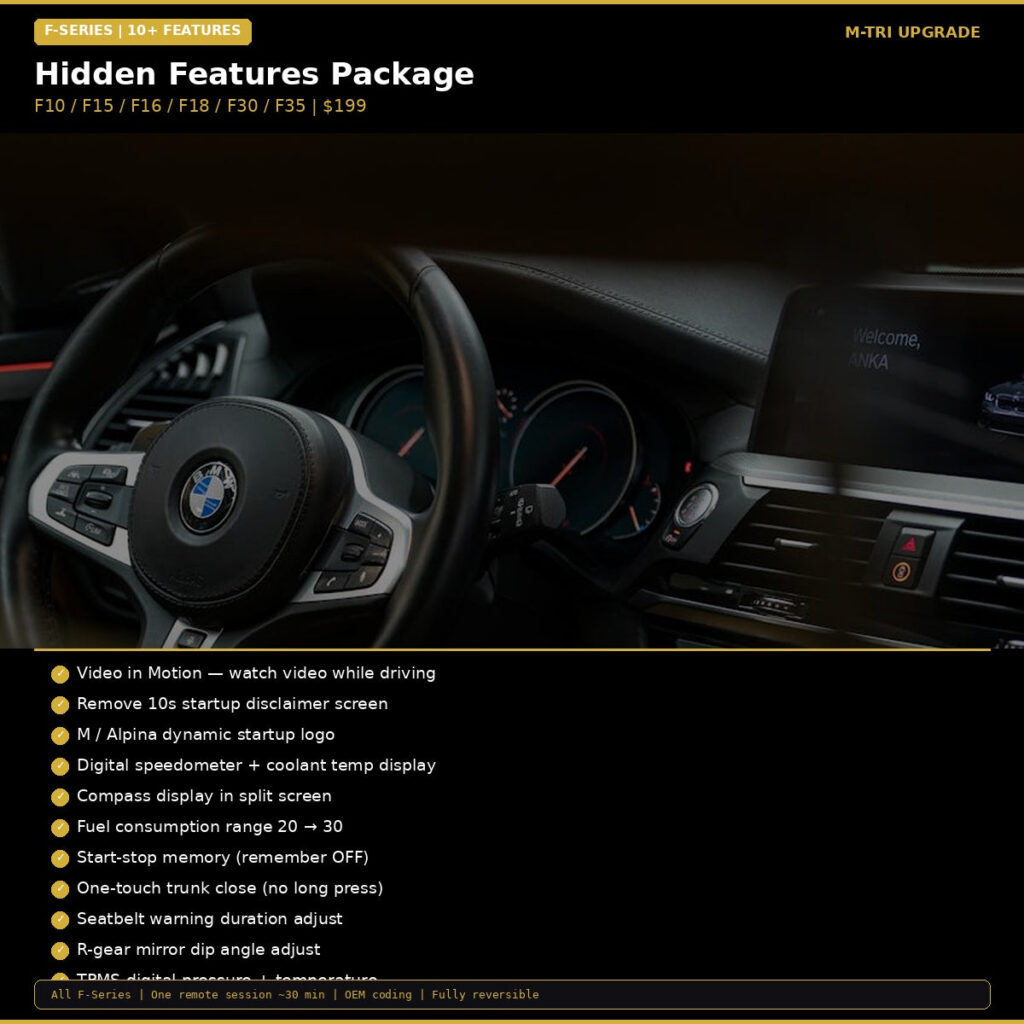
For supported F-Series vehicles, the BMW hidden features coding package is a convenient starting point for activating multiple popular functions. It is designed for enthusiasts who want a guided solution rather than manually searching through numerous control-unit menus.
Basic BMW coding process
- Confirm your BMW chassis, model year, iDrive generation, and installed options.
- Use a compatible OBD adapter and install the latest version of the coding app.
- Connect with the ignition on and follow the app’s backup instructions.
- Choose one setting at a time and save the original configuration before changing it.
- Allow the coding process to finish without disconnecting the adapter or closing the app.
- Turn the vehicle off and restart it to verify the result.
Keep the vehicle battery properly charged during coding. Low voltage can interrupt communication and create unnecessary faults. If your BMW has aftermarket electronics, a power-management system, or previous modifications, professional installation may be the safest option.
BMW Hidden Features You May Be Able to Unlock
Comfort and convenience
Comfort coding is among the most popular because small changes can improve every journey. Depending on the vehicle, owners may activate automatic mirror folding, adjust the duration of welcome lighting, change remote-control behavior, or enable closing of windows and the sunroof from the key fob. Some BMWs also support a preferred start-stop memory setting, helping the car remember whether the driver wants the system active.
Displays, lighting, and information
BMW coding can often add or modify information shown in the instrument cluster or central display. A digital vehicle-speed readout, revised warning display, and personalized lighting behavior can make the cabin feel more tailored. Always check local regulations and your vehicle manual before changing lighting or display settings related to road use.
Connectivity and smartphone integration
Apple CarPlay and Android Auto availability depends heavily on the head unit, software version, Wi-Fi hardware, and factory activation status. Coding may expose a supported setting, but it cannot guarantee wireless connectivity on a system that lacks the required hardware. In some cases, a software activation or compatible retrofit is the correct solution.
This is why it helps to separate a coding change from an activation module. Coding adjusts the vehicle’s existing control units, while an activation module may provide the communication or hardware interface needed for a particular feature.
When a BMW Activation Module Is the Better Choice
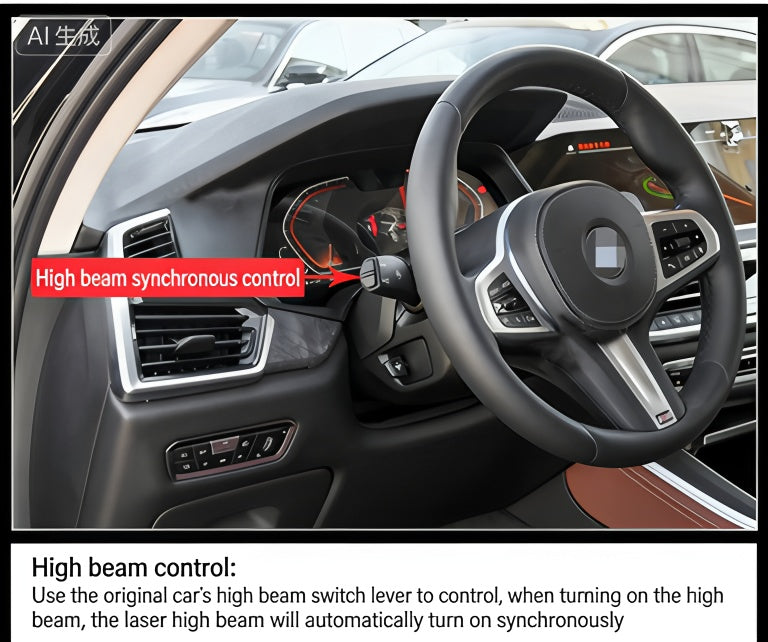
Some upgrades require more than a menu change. If your BMW has compatible but inactive equipment, an activation module can unlock a feature in a more targeted way. For example, drivers interested in enhanced exterior styling can explore the BMW Laser Headlight Activation Module. This type of product is intended for vehicles with the necessary lighting hardware and should be checked carefully against the exact model and equipment specification.
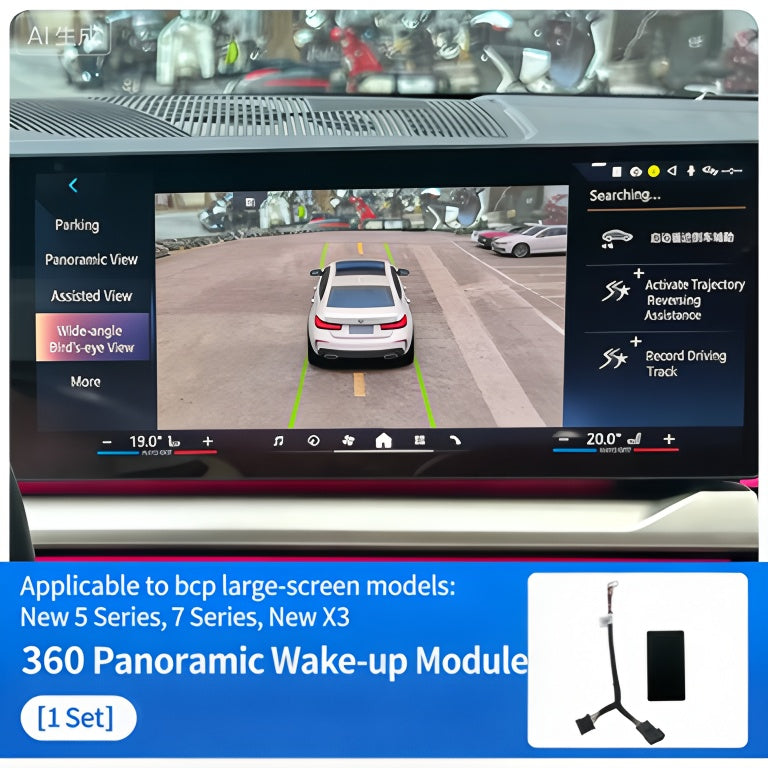
Parking assistance is another area where hardware compatibility matters. If your BMW is equipped for a surround-view camera system, the BMW 360 Surround View Camera Activation Module may help activate the relevant functionality. Camera systems require correct sensors, wiring, control units, and calibration, so verify all requirements before ordering.
Coding Versus Other BMW Upgrades
Use coding when you want to personalize an existing function, such as mirror behavior or dashboard information. Choose an activation module when the vehicle has compatible hardware that needs to be enabled. Select a physical accessory when you want a new capability that the original car does not contain.
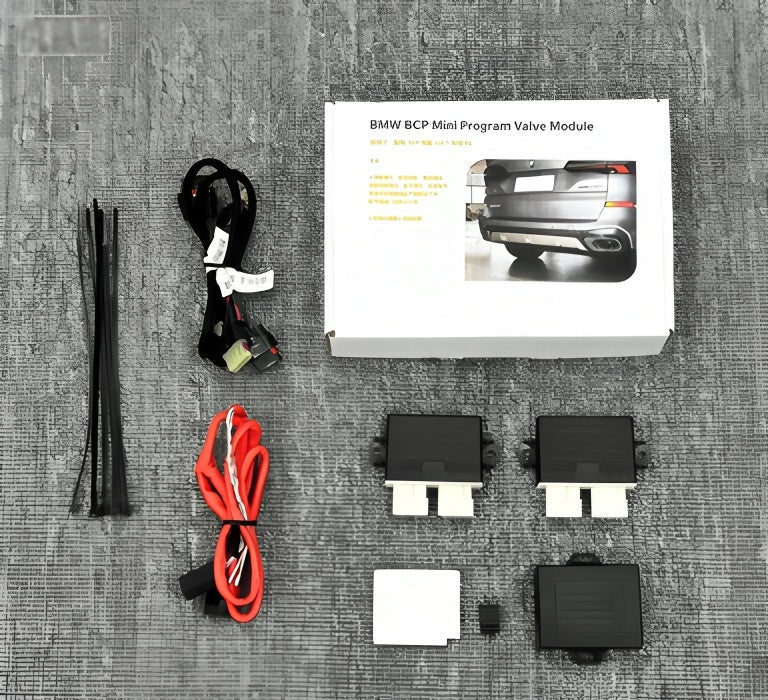
For sound-focused personalization, a dedicated product may be more suitable than coding. The BMW Exhaust Valve Controller Module with App Control provides app-based control for compatible exhaust valve systems. It is an example of an upgrade that adds a dedicated control method rather than simply changing an iDrive preference.
Smart Tips Before You Code
- Record the original settings and take screenshots before making changes.
- Check BimmerCode compatibility for your exact chassis and head-unit version.
- Make one change at a time so any issue is easy to identify.
- Avoid coding during software updates or while other diagnostic tools are connected.
- Do not activate features that could distract the driver or conflict with safety systems.
- Expect some dealer servicing or software updates to restore factory settings.
BMW coding is most rewarding when approached as careful configuration rather than guesswork. With a reliable OBD connection and accurate product matching, you can unlock useful hidden features while preserving the factory driving experience.
Personalize Your BMW Today
Ready to activate more of your BMW’s potential? Browse the complete BMW upgrade shop for coding packages, OBD solutions, activation modules, and accessories designed for enthusiasts worldwide. Check compatibility before ordering and choose the upgrade that matches your BMW’s equipment.