
Modern BMWs are engineering marvels packed with advanced electronics, high-definition displays, and sophisticated engine management systems. However, straight from the factory, your vehicle often arrives with dozens of impressive capabilities disabled or restricted. Whether you are dealing with frustrating infotainment quirks—like Apple CarPlay music glitches following the latest smartphone firmware updates—or simply want your vehicle to behave exactly how you prefer, BMW coding is the key to unlocking your car’s true potential.
In this comprehensive guide, we will explore how OBD coding and dedicated activation modules allow BMW owners worldwide to activate dormant capabilities, fix everyday multimedia headaches, and elevate the daily driving experience.
What is BMW Coding and How Does It Work?
Unlike “tuning” or “remapping,” which alters engine fuel maps and boost pressure to increase horsepower, BMW coding simply toggles software parameters that are already programmed into your vehicle’s Electronic Control Units (ECUs). BMW manufactures vehicles on global platforms, meaning hardware components are often identical across different model tiers, while features are enabled or disabled through software.
Using an OBD (On-Board Diagnostics) interface alongside apps like BimmerCode, or employing dedicated plug-and-play activation hardware, drivers can communicate directly with their vehicle to personalize settings without cutting wires or voiding warranties.
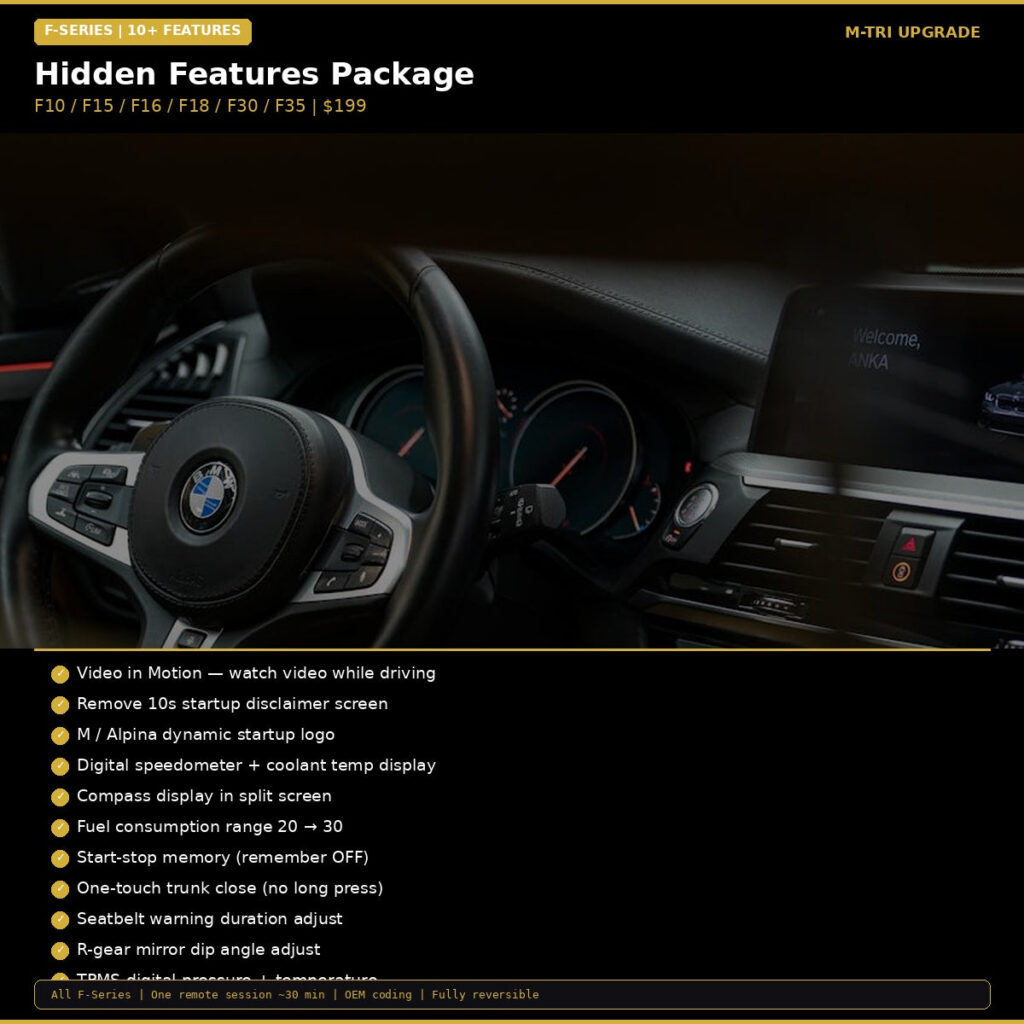
Top Hidden Features You Can Unlock Today
Curious about what your BMW can actually do? Our BMW Hidden Features Coding Package for F-Series and modern G-Series platforms allows you to activate a host of functional and aesthetic features:
- Full-Screen Apple CarPlay: Say goodbye to the frustrating split-screen CarPlay interface and maximize your iDrive real estate for navigation and media apps.
- Auto-Folding Mirrors on Lock: Automatically fold your side mirrors when locking the car with the key fob or Comfort Access.
- Digital Speedometer in Cluster: Display an accurate digital readout right in the center of your instrument cluster.
- Acoustic Lock/Unlock Confirmation: Enable a subtle beep confirmation when you lock or unlock your doors.
- Auto Start/Stop Memory: Remember the last selected Auto Start/Stop setting so you never have to manually press the off button every time you start the car.
- Video in Motion (VIM): Allow passengers to view multimedia content through USB playback while cruising on long highway journeys.
Fixing Infotainment and Connectivity Frustrations
With frequent smartphone operating system updates, many BMW drivers encounter sudden connectivity issues, such as Apple CarPlay freezing, audio drops in streaming apps, or the connection failing altogether. Coding your head unit to the latest compatible configuration or activating enhanced Bluetooth parameters often resolves handshake errors between your phone and the iDrive system.
Coding also enables enhanced ambient lighting colors, custom warning chime selections (like BMW i or Rolls-Royce chimes), and allows you to disable intrusive legal disclaimers on startup.
Hardware-Based Coding & Activation Modules
While software apps handle basic parameters, advanced safety and convenience functions require dedicated activation modules to integrate seamlessly with the vehicle’s optical network and safety CAN-bus.
1. Adaptive Laser Light Functionality
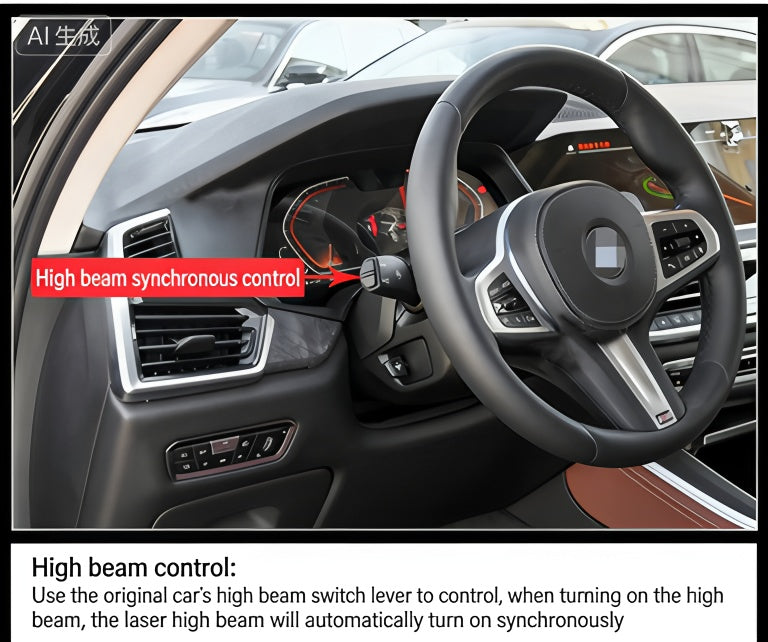
If your vehicle is equipped with factory Laser headlights, they may be operating below their full potential due to conservative factory coding. With the BMW Laser Headlight Activation Module, you can unlock full anti-dazzle capabilities and maximum high-beam throw, dramatically increasing visibility during nighttime driving without blinding oncoming traffic.
2. 360 Surround View Parking Camera
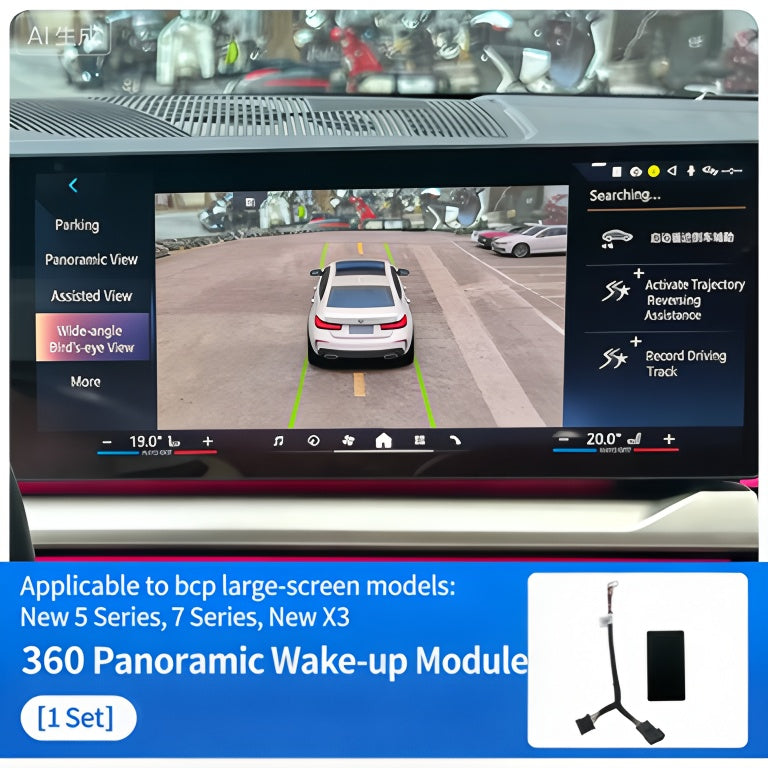
Retrofitting or enabling multi-camera parking systems typically requires specialized authorization. The BMW 360 Surround View Camera Activation Module enables seamless top-down bird’s-eye perspective, parking guidelines, and curb detection directly on your iDrive screen.
3. Exhaust Sound and Valve Control
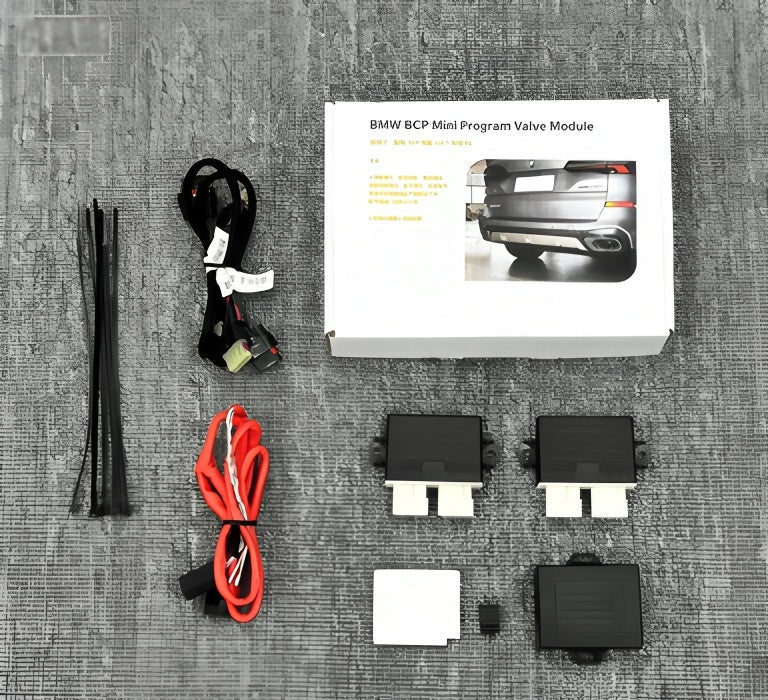
Factory sport exhaust valves are programmed by the ECU to open only at certain RPM thresholds or in specific drive modes. For enthusiasts wanting complete control over their acoustic experience, the BMW Exhaust Valve Controller Module with App Control lets you keep the exhaust flaps 100% open or closed at the touch of a smartphone screen or steering wheel button.
Best Practices for Safe BMW Coding
Coding your BMW is safe when done correctly. Keep these essential tips in mind:
- Use a Stable Battery Charger: ECUs draw considerable power during coding sessions. Keep your battery voltage stable to prevent interruptions.
- Always Create Backups: Reliable coding software automatically generates a backup of your stock ECU data before applying changes. Always save these files.
- Use Proven Hardware: Low-quality OBD adapters can drop connection mid-write. Invest in high-quality adapters and dedicated modules designed specifically for BMW platforms.
Upgrade Your Ultimate Driving Machine
Don’t settle for factory restrictions and annoying infotainment limitations. Whether you want a plug-and-play activation package or specialized hardware modules, upgrading your BMW has never been easier.