
BMW ownership is about more than driving pleasure. With the right maintenance habits and carefully selected upgrades, you can improve convenience, technology, and everyday usability without turning every project into a workshop visit. This BMW DIY install guide explains how to approach retrofit plug and play module upgrades, including Apple CarPlay activation, comfort features, coding, and post-installation checks.
Modern vehicle technology is changing quickly. As more manufacturers reconsider smartphone integration and connected features, BMW owners are looking for practical ways to refresh older infotainment systems. A well-matched retrofit or coding solution can provide useful functionality while preserving the factory appearance and controls.
What makes a BMW retrofit plug and play module different?
A plug and play module is designed to connect with existing vehicle wiring and factory connectors, reducing the need for wire cutting or permanent modifications. This makes the installation more approachable for experienced DIY enthusiasts and also helps protect the vehicle’s original configuration.
Before ordering, confirm your BMW chassis, production year, head unit, software version, and existing options. Two vehicles that look similar may use different infotainment hardware or communication protocols. Always compare the product compatibility information with your vehicle identification details before beginning.
Prepare before starting your BMW DIY install
1. Gather the right tools
Most retrofit projects require trim removal tools, a small screwdriver set, a flashlight, microfiber cloths, and a phone or camera for documenting connector locations. Plastic trim tools are strongly recommended because metal tools can mark dashboard surfaces. For coding-related work, use a reliable diagnostic interface and ensure your laptop or mobile device has enough battery power.
2. Protect the vehicle’s electrical system
Switch off the ignition, remove the key or keep the vehicle securely asleep, and allow the modules to shut down before disconnecting interior components. If the installation instructions recommend battery disconnection, follow that procedure carefully. Avoid opening doors, operating windows, or switching on accessories while connectors are unplugged.
3. Photograph every connection
Take clear photos before removing panels. Label connectors if several plugs appear similar, and keep screws separated by trim section. This simple habit makes reassembly faster and prevents unnecessary troubleshooting.
BMW CarPlay retrofit and full-screen activation
Infotainment is one of the most popular areas for DIY improvement. If your BMW already supports the necessary hardware, a BMW CarPlay full-screen activation can make navigation, music, messages, and voice control easier to use. Full-screen presentation also creates a more modern look than a split display, although available functionality depends on the vehicle’s head unit and software.

For an activation or retrofit, connect only after verifying compatibility and follow the supplied coding sequence exactly. Keep the vehicle stationary during setup, maintain a stable power supply, and do not interrupt the process. When complete, test wired or wireless connection behavior, steering-wheel controls, microphone performance, audio output, and automatic reconnection.
Comfort upgrades that support daily BMW maintenance
Some of the most satisfying upgrades are small changes that improve daily operation. A BMW Smart Comfort Module may add convenience functions across compatible 1 Series through 7 Series models. Depending on the vehicle and configuration, features can include enhanced locking, window behavior, lighting functions, or other comfort settings.

When installing a comfort module, inspect the surrounding wiring first. Look for moisture, loose terminals, damaged insulation, or previous aftermarket work. A new module cannot correct an existing electrical fault, so resolve those issues before coding or testing. After installation, test one function at a time and confirm that factory safety behavior remains unchanged.
Coding packages versus physical modules
It is useful to understand the difference between coding and hardware. Coding changes supported software settings already present in the vehicle. A module adds or manages functionality that may not be available through standard settings alone. Some upgrades may combine both approaches.
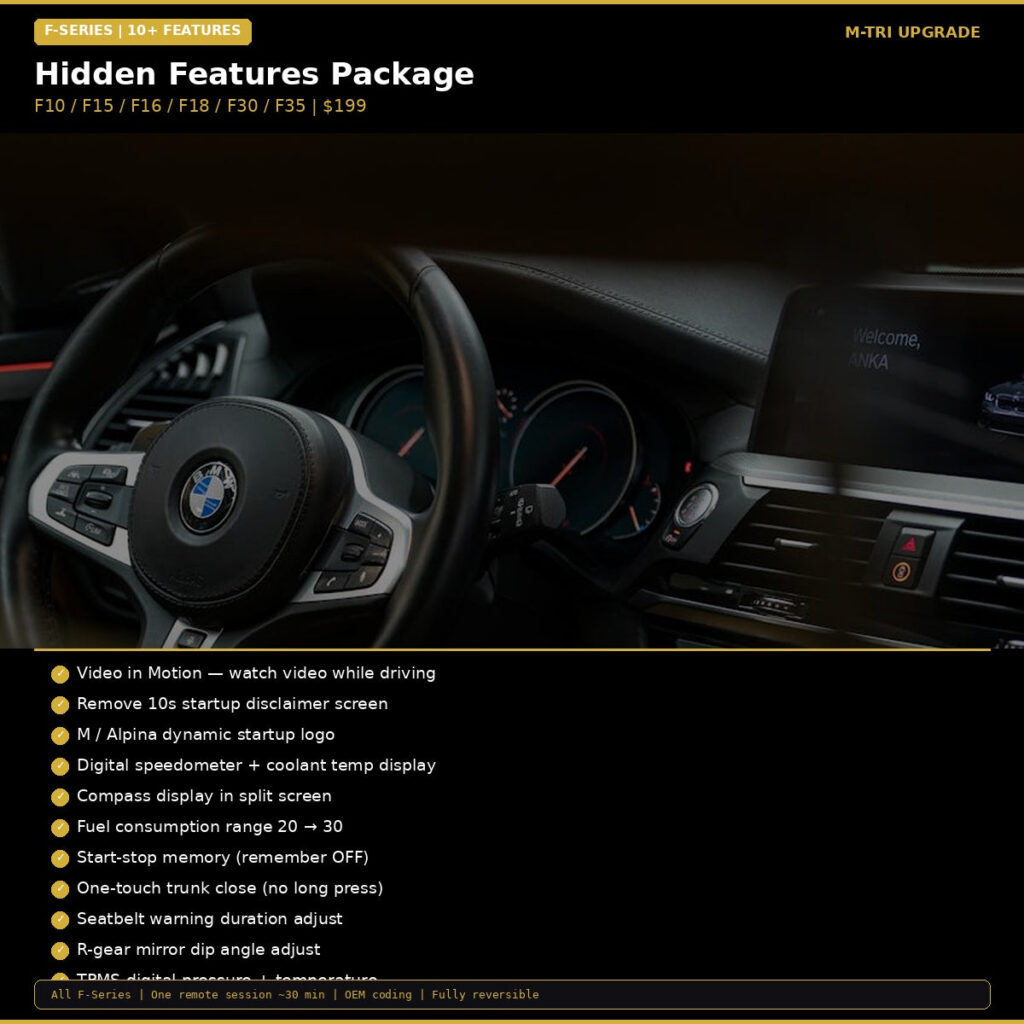
For supported F-Series vehicles, the BMW Hidden Features Coding Package can unlock selected factory options without changing the vehicle’s physical components. This can be a cleaner solution when the desired feature is already built into the car but disabled in its configuration.
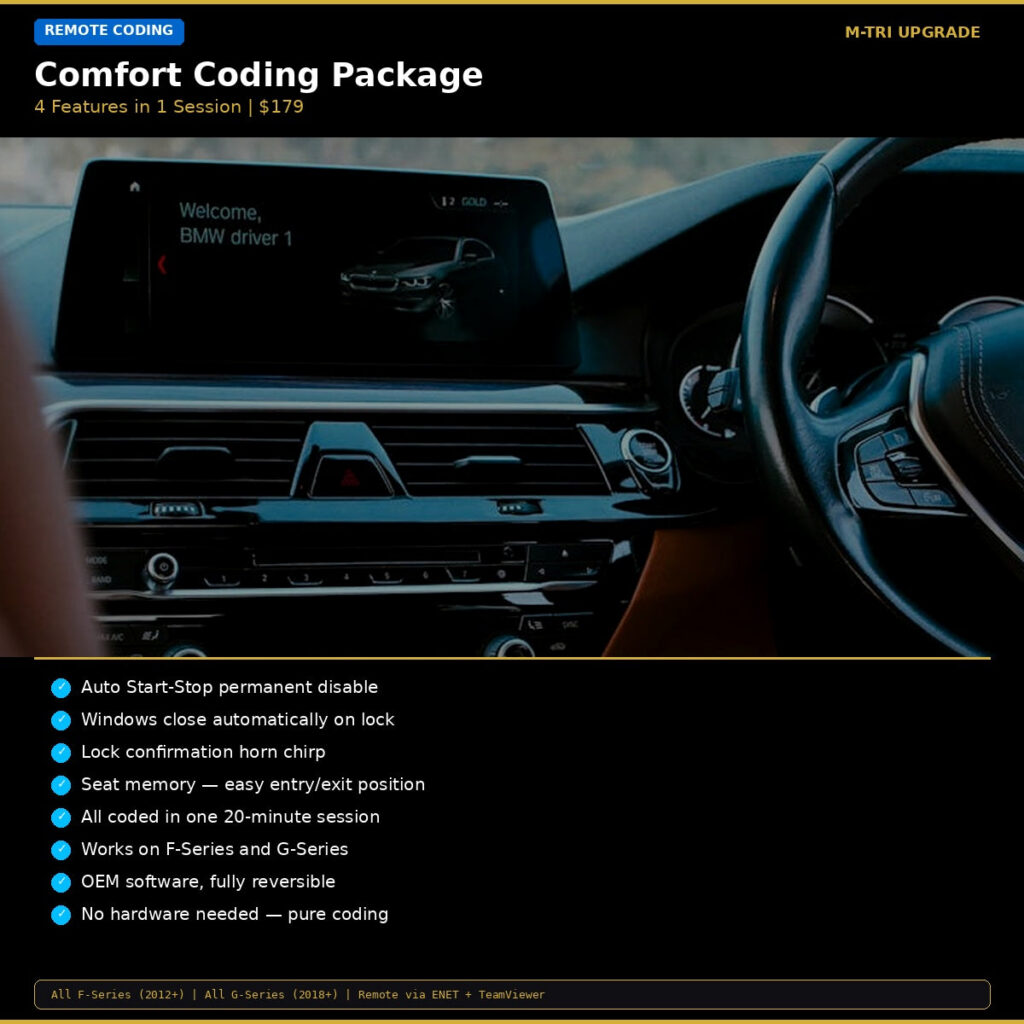
For owners who want several everyday functions together, a BMW Comfort Coding Package may be more convenient than adjusting individual settings. Compare the feature list with your vehicle’s equipment, then save the original configuration before making changes.
Post-installation checks and maintenance tips
After any retrofit plug and play module installation, perform a complete inspection. Confirm that trim panels sit flush, cables are not pinched, connectors are fully locked, and no warning lights appear. Test central locking, windows, interior lighting, audio, parking sensors, cameras, and steering-wheel buttons where applicable.
Keep a record of the installed product, coding changes, software version, and original settings. If a fault appears later, this information helps identify whether it is related to the upgrade or routine maintenance. It is also wise to periodically inspect battery condition, since low voltage can cause confusing electronic symptoms in BMW vehicles.
Shop BMW DIY upgrade parts
With careful preparation, compatibility checks, and methodical testing, many BMW owners can complete practical upgrades at home. Choose quality-compatible parts, follow the instructions, and never rush electrical or coding work. Explore the full BMW parts and upgrade accessories collection at MTRI Upgrade for products designed to ship worldwide and help you make your BMW more functional, comfortable, and up to date.