
Modern automotive technology evolves at breakneck speed. What was once considered cutting-edge in luxury vehicles just a few model years ago—such as seamless wireless phone integration, native conferencing compatibility, and intelligent cabin automation—has quickly become standard expectation for discerning drivers. Fortunately, you do not need to buy a brand-new vehicle to enjoy contemporary convenience. With a practical BMW DIY install guide retrofit plug play module approach, you can easily modernize your BMW from the comfort of your own garage.
The Evolution of In-Cabin Integration: Why Retrofit?
Automakers frequently shift software packages and connectivity tiers, leaving owners of slightly older chassis dealing with locked features or split-screen limitations. While modern cockpits now standardise hands-free communication, conference calling on the move, and cord-free infotainment mirroring, earlier iDrive iterations often restrict these perks behind dealership paywalls or outdated software architectures.
Retrofitting your BMW brings your dashboard up to parity with the latest automotive releases. Whether you want to stream high-resolution navigation, manage notifications effortlessly, or enjoy uncompressed audio streaming, software activations and dedicated plug-and-play modules provide the factory-finish quality your luxury cabin deserves.

For vehicles equipped with split-screen interfaces, upgrading to BMW CarPlay Full Screen Activation transforms the entire visual experience. By utilizing the full real estate of your factory display, maps become clearer, route guidance is safer to read, and multimedia interfaces look inherently modern.
Understanding Plug-and-Play Hardware Modules
When enthusiasts hear the term “retrofit,” they often picture spliced factory harnesses, stripped interior clips, and complex wiring diagrams. Thankfully, modern aftermarket engineering has made those invasive procedures obsolete.
A modern plug and play module acts as an inline bridge that ties directly into your vehicle’s factory CAN-bus wiring. Because these modules use OEM-grade male and female connectors, installation requires zero cutting, soldering, or permanent modifications to your vehicle’s electrical architecture.

A prime example of seamless integration is the BMW Smart Comfort Module 1-7 Series. This module introduces intelligent lifestyle features that BMW left off the standard build sheet, such as automatic window roll-up upon locking, smart key proximity detection, side mirror auto-folding, and delayed accessory power management. Everything operates seamlessly through your existing key fob and interior switches.
Step-by-Step DIY Install Guide: Plug & Play Retrofits
Completing a retrofit on your own is one of the most rewarding maintenance tasks you can tackle. To ensure a professional result without triggering diagnostic trouble codes (DTCs), follow this practical step-by-step workflow:
1. Prepare Your Workspace and Tools
Before beginning, gather non-marring nylon trim removal tools, a T20 and T25 Torx driver, a clean microfibre cloth to protect interior trim pieces, and an OBD-II diagnostic scanner or coding cable. Always work in a well-lit, dry environment.
2. Safely Power Down the Vehicle
Modern BMW electronic control units (ECUs) remain active for several minutes after the ignition is turned off. To prevent accidental shorts or communication bus errors, pop the bonnet and boot, switch off the ignition, and disconnect the negative terminal of the 12V battery. Allow the vehicle to rest for 10 to 15 minutes before unseating any electrical plugs.
3. Gain Access to the OEM Harness
Using plastic pry tools, gently lever out dash trim pieces or footwell covers depending on where your module installs. Work deliberately from corner to corner to avoid snapping retention tabs. Place removed trim panels on a soft blanket to prevent surface scuffs.
4. Connect the Inline Module
Release the factory harness clip by pressing down the locking tab. Insert the male end of the retrofit harness into the factory component and couple the original harness into the female receptacle of your new module. You should hear a distinct click, confirming a secure, vibration-resistant connection.
5. Test Before Final Reassembly
Temporarily reconnect your battery terminal and switch on the ignition. Verify module operation: test folding mirrors, verify display outputs, and ensure that steering wheel controls behave as expected. Once confirmed, secure any loose wiring using fabric harness tape to prevent interior rattles, snap trim pieces back into place, and secure mounting screws.
Hardware vs. Software: Unlocking Dormant OEM Features
Not every upgrade requires taking trim panels apart. Many BMW models leave the factory with advanced electronic capabilities already built in, deliberately deactivated depending on options packages or initial configurations.
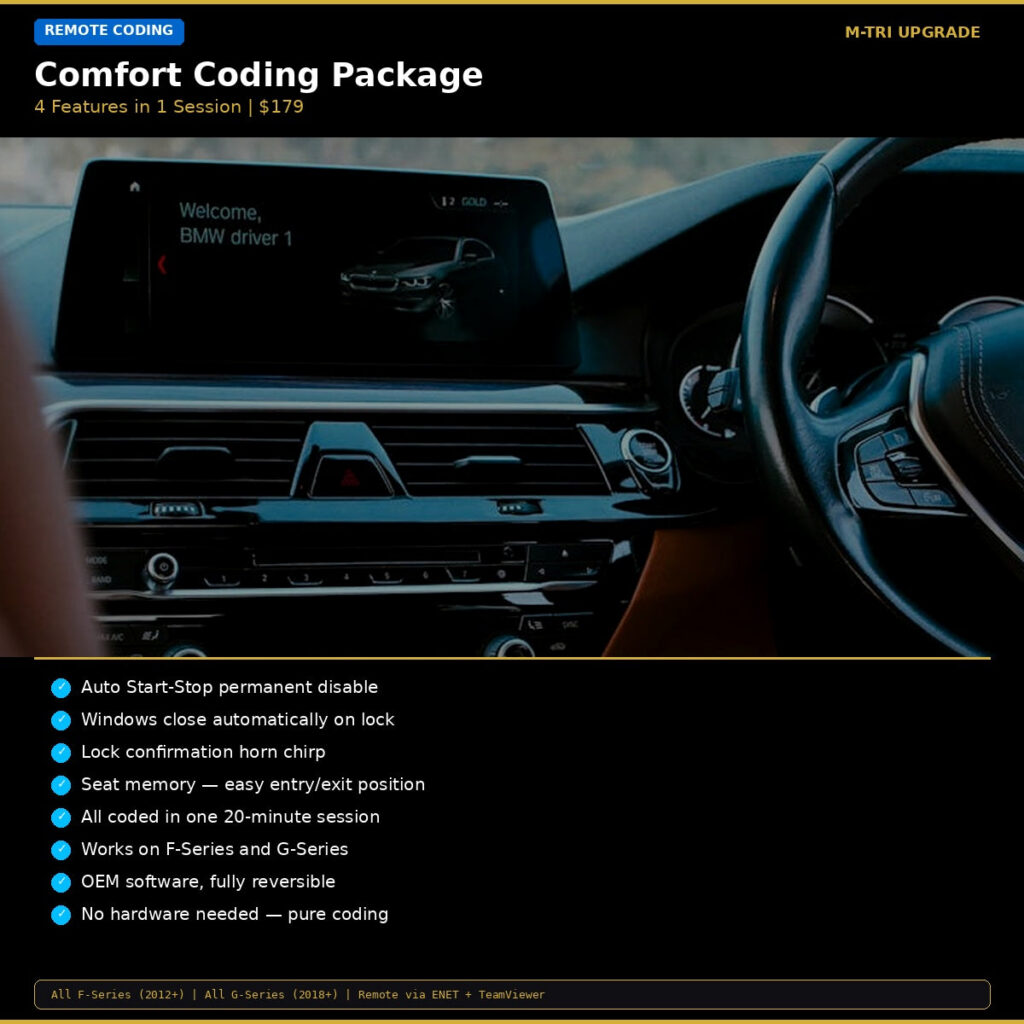
By using remote coding solutions like our BMW Comfort Coding Package, you can reprogram control units via the OBD port to remember your Auto Start/Stop preference, close windows via remote control, enable seat memory upon door unlock, and mute annoying warning chimes.
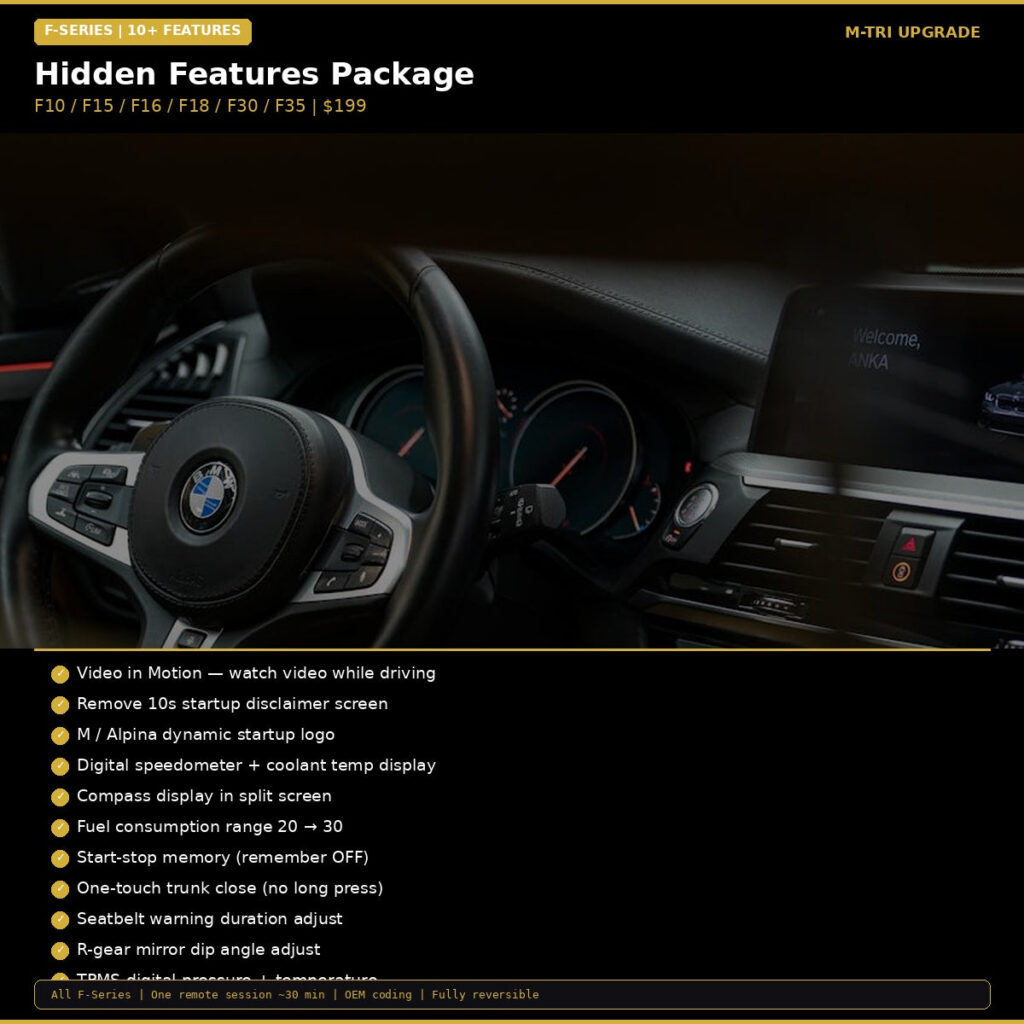
For comprehensive customisation across F-series chassis, the BMW Hidden Features Coding Package F-Series unlocks up to 10 dormant factory functions, including digital speedometer displays in the cluster, acoustic lock confirmations, sport display activation, and tyre pressure temperature readouts.
Crucial Maintenance Tips for Retrofitted BMWs
- Maintain Healthy Battery Voltage: Complex modules rely on stable voltage. If your BMW battery drops below 12.2V, ECUs may temporarily disable comfort and multimedia features to conserve power. Consider keeping your car on a smart battery maintainer if it is driven infrequently.
- Keep Firmware Backups: Always document your original settings or create an ECU backup before flashing parameters or introducing software changes.
- Protect Factory Connectors: When routing auxiliary cables behind the dashboard, avoid tight bends and keep wiring away from moving parts such as HVAC stepper motors and steering column shafts.
Upgrade Your Ultimate Driving Machine Today
Retrofitting modern comfort, infotainment, and convenience features does not require high dealership labour bills or permanent alterations to your car’s wiring. With precision-engineered plug-and-play modules and tested remote coding protocols, elevating your daily drive is an easy weekend project.
Ready to modernise your BMW? Explore our comprehensive selection of OEM-grade modules, connectivity adapters, and custom coding packages with fast worldwide shipping. Visit the MTRI Upgrade Shop to find the perfect upgrade engineered specifically for your chassis.