
Modern automotive technology is evolving at breakneck speed, but not always in ways drivers love. While major carmakers are controversially moving away from native smartphone mirroring and locking convenient features behind costly dealership paywalls, BMW enthusiasts know there is a better path: the do-it-yourself upgrade. Taking control of your vehicle with a BMW DIY install guide retrofit plug play module lets you enjoy next-generation connectivity and premium comfort without cutting factory wires or paying exorbitant dealership fees.
Why Modern BMW Enthusiasts Choose Plug and Play Upgrades
Whether you drive an F-Series 3 Series or a late-model G-chassis, factory configurations often leave high-demand features locked out or half-implemented. In older iDrive setups, for instance, infotainment displays feel constrained, wired connections clutter your center console, and convenient daily functions remain disabled.
Instead of enduring dated infotainment systems or wrestling with complex custom wiring harnesses, high-grade plug-and-play retrofits allow you to modernize your car in your own garage over a weekend. You retain total factory aesthetics, avoid cutting OEM wires, and maintain the ability to revert back to stock whenever needed.
Step 1: Unleash Modern Infotainment and Wireless Connectivity
In-car connectivity remains the most sought-after upgrade for modern drivers. Many vehicles come from the factory with restricted split-screen layouts or lack wireless phone mirroring altogether. Unlocking true full-screen integration immediately transforms how you navigate, stream audio, and interact with your vehicle every day.

By opting for a dedicated BMW CarPlay Full Screen Activation, you eliminate frustrating display borders and elevate your entire dashboard experience. The installation process typically requires no invasive dashboard surgery—just a seamless software or interface hookup that activates factory-level clarity instantly.
Step 2: Automating Daily Convenience with Smart Hardware Modules
While software retrofits take care of your digital media, hardware plug-and-play modules enhance how your vehicle reacts to you in the real world. Many premium comfort functions—such as automatic mirror folding upon locking, automatic window roll-up, and smart trunk closure—are dormant or omitted on standard trim levels.

Installing a dedicated BMW Smart Comfort Module 1-7 Series bridges this gap. These compact modules tap inline into your vehicle’s factory CAN-bus network via direct-fit harness plugs. When doing this DIY install:
- Disconnect the negative battery terminal: Always protect sensitive microcontrollers before plugging into body control harnesses.
- Use non-marring pry tools: Keep door sills and footwell trim pristine by avoiding metallic screwdrivers.
- Tuck wiring securely: Use automotive cloth friction tape to bundle excess wire and eliminate cabin rattles.
Step 3: Unlocking Hidden OEM Features Without Splicing
Factory BMW ECUs are packed with dormant capabilities that were reserved for top-tier packages or distinct regional options. Enthusiasts often desire disabling annoying auto start-stop defaults, enabling subtle acoustic lock confirmations, or programming personalized seat entry memory.
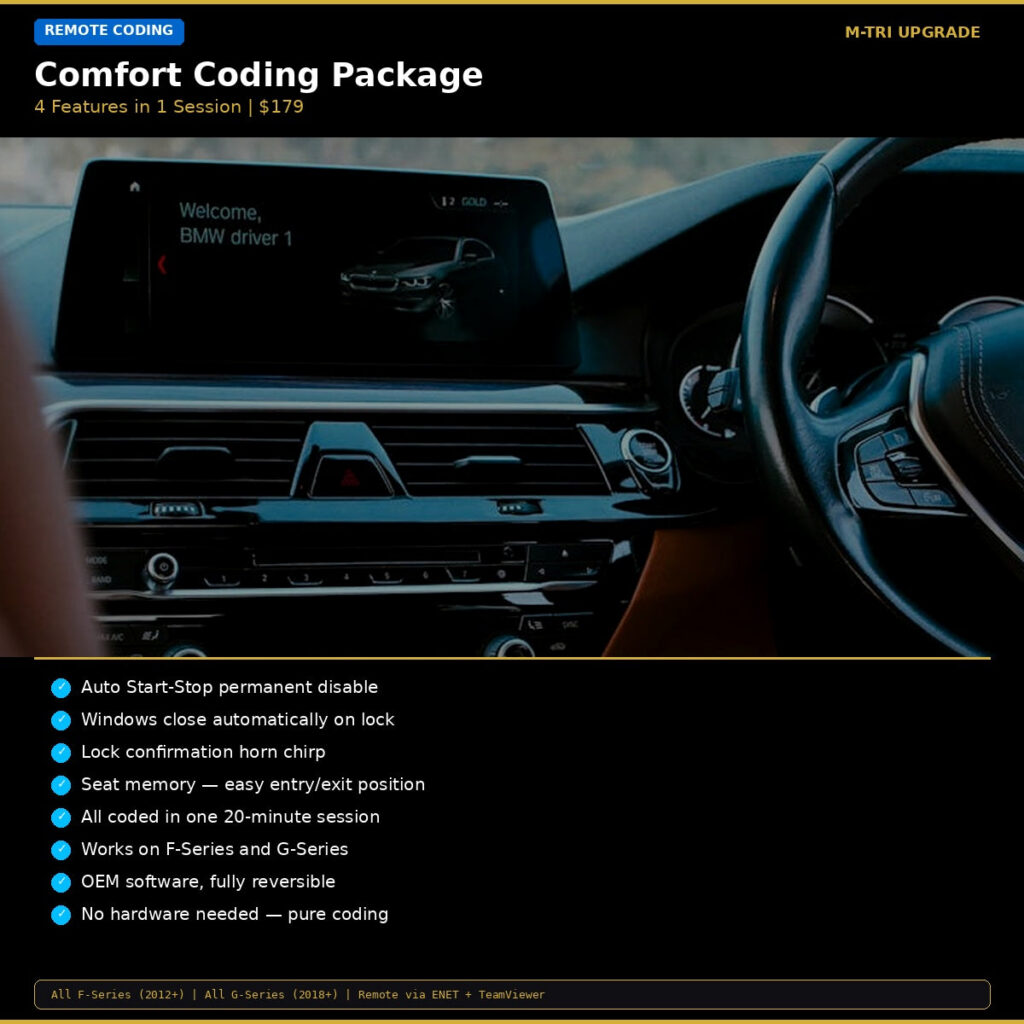
Our pre-configured BMW Comfort Coding Package handles the most popular daily adjustments simultaneously. Rather than navigating confusing configuration strings yourself, these customized protocols program the ECU reliably in minutes.
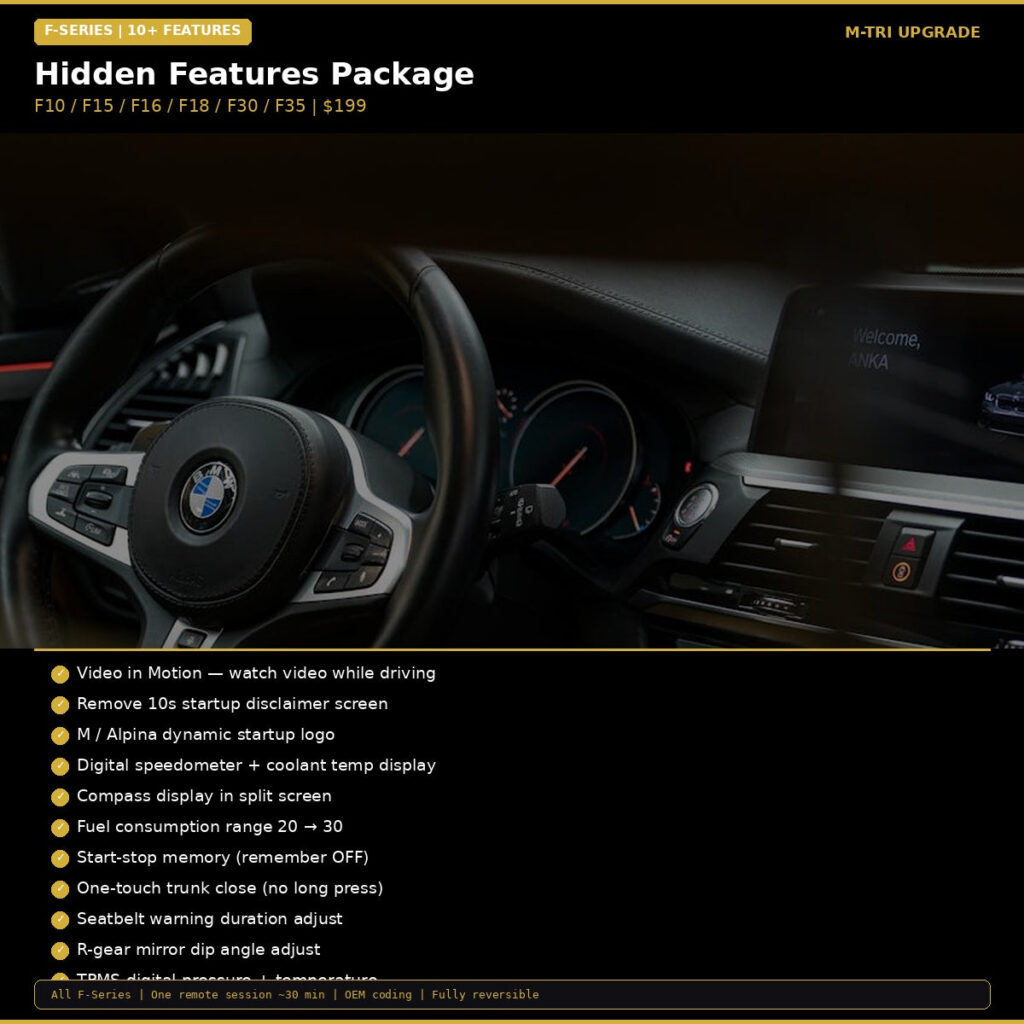
For owners seeking an all-inclusive upgrade for earlier platforms, exploring the BMW Hidden Features Coding Package F-Series unlocks lighting configurations, digital speedometer clusters, and customized door handle illumination.
Essential Maintenance & DIY Best Practices for Clean Installs
A flawless retrofit comes down to preparation and careful execution. Keep these essential tips in mind for any DIY module installation:
1. Maintain Stable Voltage
Whether flashing software, running diagnostics, or initializing a newly connected bus module, BMW electronics are notoriously sensitive to voltage drops. Connect a reliable battery maintainer before initiating any software configuration sequence.
2. Verify Connector Engagement
Plug-and-play automotive connectors feature positive locking clips. Ensure you hear an audible click when reseating harness plugs into the head unit or footwell control module. A loose terminal can cause intermittent communication faults on the CAN network.
3. Keep a Factory Configuration Backup
Before modifying any parameters or installing advanced digital interfaces, always store a digital backup of your original vehicle order and module traces. This provides peace of mind and makes troubleshooting effortless.
Modernize Your BMW Today
You don’t need to let closed automotive ecosystems or missing factory options hold back your driving experience. With reliable plug-and-play hardware and optimized coding packages, you can unlock full-screen smartphone navigation, automated comfort features, and hidden performance displays from your own garage.
Ready to customize your Ultimate Driving Machine? Visit our full collection of BMW OEM upgrades and retrofit solutions today and experience premium driving convenience backed by worldwide shipping.