
Maintaining a BMW is more than changing oil and replacing worn parts. With the right preparation, many owners can complete practical electronic upgrades at home, from comfort functions to infotainment improvements. This BMW DIY install guide explains how to approach retrofit plug and play module projects safely, how to check compatibility, and when coding may be required.
BMW systems are tightly integrated, so a successful installation depends on more than connecting a new component. Before ordering, identify your chassis generation, production year, head unit, existing options, and software configuration. A module designed for one BMW series may not support another, even when the connectors appear similar. Always review the product fitment information and contact the seller if your vehicle details are unclear.
Prepare Your BMW Before a DIY Retrofit
Good preparation prevents most installation problems. Park on a level surface, switch off the ignition, remove the key from the vehicle, and allow the car to enter sleep mode before disconnecting electrical components. If the instructions recommend battery disconnection, follow that step carefully and preserve any required settings.
Useful tools and checks
- Trim removal tools made from non-marring plastic
- A small flashlight and magnetic container for fasteners
- Electrical tape or fabric harness tape for securing wiring
- A multimeter for basic voltage and continuity checks
- Battery support or a fully charged battery during coding
- Your VIN, chassis code, head unit information, and current software version
Take photos before removing trim or unplugging connectors. This creates a reference for routing cables and returning panels to their original position. Never force a BMW connector. Release the locking tab first, then pull straight from the housing. Avoid probing airbag wiring or yellow connectors unless the repair procedure specifically requires it.
Choose Plug and Play BMW Modules Carefully
A genuine plug and play retrofit should use factory-style connectors or clearly documented adapters, require minimal permanent modification, and include instructions for setup. Plug and play does not always mean completely installation-free: some products need coding, app configuration, or a learning cycle after the hardware is connected.
For drivers who want additional factory-style functions, the BMW Smart Comfort Module for 1-7 Series is an example of an upgrade that focuses on convenience. Before installation, confirm the supported series and feature list. Plan the module location so it remains secure, dry, and accessible for future diagnostics.

Installation Workflow: A Safer DIY Method
1. Verify the kit and vehicle
Compare the contents of the package with the instructions before disassembly. Check connector shape, cable length, module labels, and any included switches or antennas. If the kit is not an exact match, stop and confirm compatibility rather than adapting wiring yourself.
2. Protect trim and connectors
Use plastic tools around dashboard and door panels. Work slowly in cold conditions because brittle clips can crack. Keep screws separated by location and avoid placing tools on leather, piano-black trim, or display surfaces.
3. Connect without stressing the harness
Route wiring alongside the original loom and keep it away from pedals, seat rails, sharp brackets, hot surfaces, and moving mechanisms. Secure excess cable with fabric tape or approved fasteners. Do not leave a module hanging from its connector; vibration can create intermittent faults.
4. Test before reassembly
Reconnect the battery if required and test every related function before reinstalling all panels. Check locks, windows, memory settings, warning messages, audio, cameras, and steering-wheel controls depending on the retrofit. If a function fails, inspect the connector seating and fuse protection first.
When BMW Coding Is Required
Some retrofits are hardware-only, while others need coding to tell the vehicle that a new feature is present. Coding may activate hidden functions, adjust comfort behavior, or synchronize the retrofit with the car’s control modules. Use a stable battery supply during coding and never interrupt the process by opening doors, switching off the ignition, or disconnecting a diagnostic device.
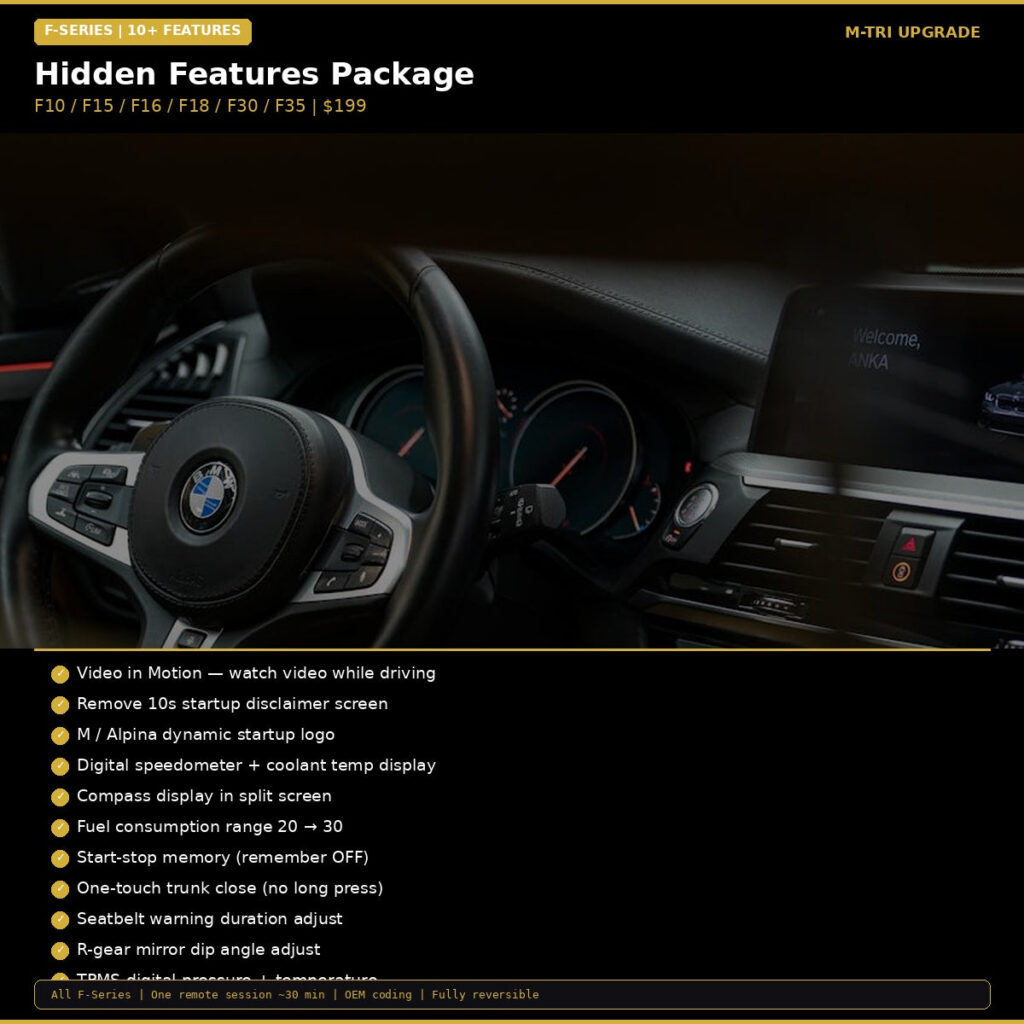
For F-Series owners, a BMW Hidden Features Coding Package can help unlock selected factory-supported functions. Review the included features and compatibility before purchase. Coding should be treated as a configuration step, not a substitute for correct wiring or a compatible module.
Compare Comfort, Coding, and Infotainment Upgrades
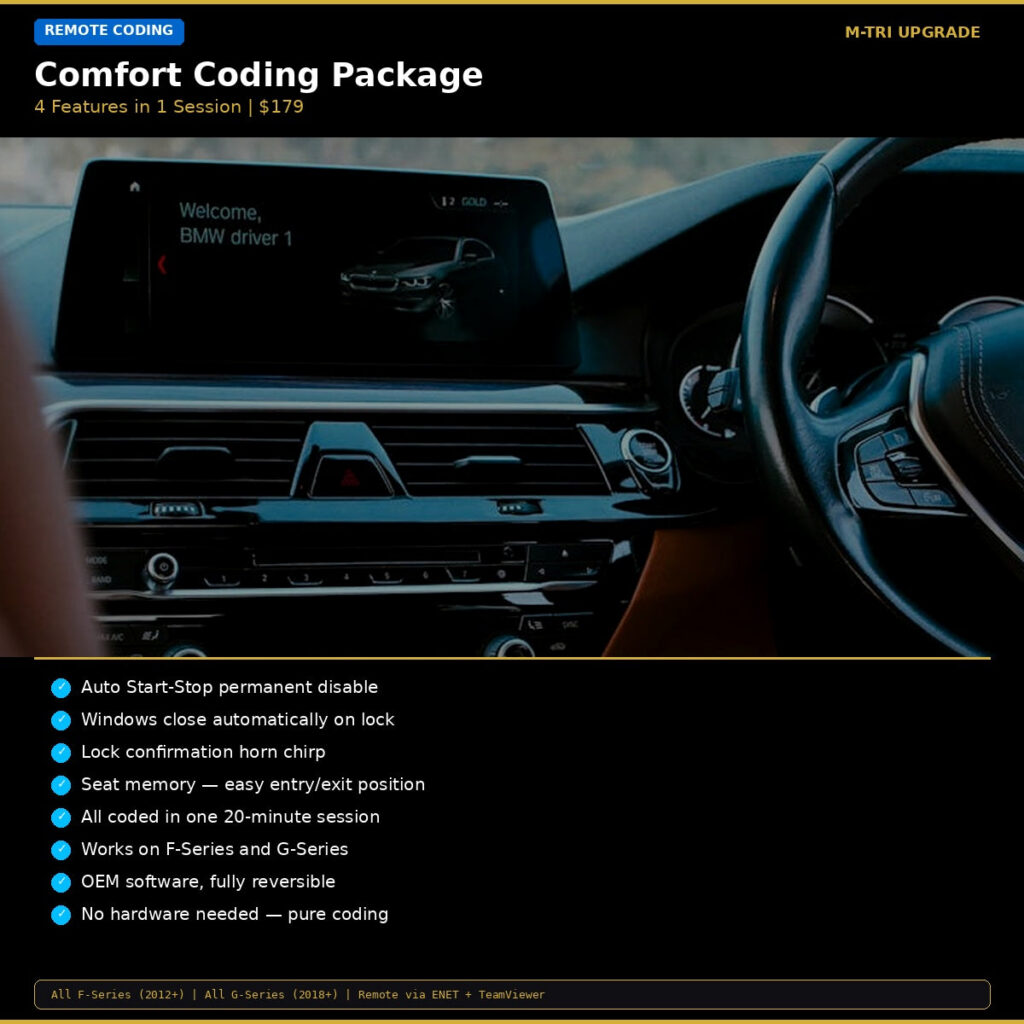
Choose an upgrade based on the result you want. A comfort module can combine convenience features in one installation, while a coding package may activate existing vehicle capabilities without adding hardware. If your goal is easier daily use, compare the BMW Comfort Coding Package, which focuses on functions such as start-stop behavior, window closing, horn confirmation, and seat memory.
For infotainment improvements, verify the head unit before selecting a solution. A full-screen interface upgrade can make navigation, calls, and media easier to use, but compatibility depends heavily on the installed system. Review the BMW CarPlay Full Screen Activation details and confirm that your vehicle meets the listed requirements.

Common BMW DIY Mistakes to Avoid
- Ordering by appearance instead of chassis and head unit compatibility
- Working with a weak battery during electronic programming
- Forcing clips, pins, or locking tabs into place
- Routing wires near airbags, pedals, hinges, or hot components
- Reassembling trim before testing every function
- Ignoring warning lights or assuming they will clear automatically
After installation, take a short test drive in a safe area and monitor the vehicle for warning messages, unusual electrical behavior, or loose trim. Keep the original parts and installation notes in case the vehicle needs servicing later. If a fault persists, stop using the affected feature and obtain professional diagnostic help rather than repeatedly resetting the battery.
Upgrade Your BMW With Confidence
The best BMW DIY projects combine accurate fitment research, careful installation, stable power, and realistic expectations about coding. Whether you are adding comfort functions, activating hidden features, or improving infotainment, a methodical approach helps protect your vehicle and produces a cleaner result.
Ready to start your next retrofit? Browse the complete BMW upgrade and maintenance collection to find compatible plug and play modules, coding solutions, and infotainment enhancements for enthusiasts worldwide.