
Description
BMW Alpina instrument cluster coding changes the digital dashboard layout to the Alpina-branded gauge style, including Alpina colour schemes and branding. This is a remote ENET coding service — no physical parts shipped. Compatible with …
Quick Answer
BMW Alpina instrument cluster coding changes the digital dashboard layout to the Alpina-branded gauge style, including Alpina colour schemes and branding. This is a remote ENET coding service — no physical parts shipped. Compatible with G20 3 Series and G30 5 Series running iDrive 7. Session takes 20–30 minutes via TeamViewer.
BMW Alpina Instrument Cluster Coding changes your instrument cluster to the Alpina-style dashboard layout with Alpina branding, Alpina-specific gauge design, and the distinctive Alpina color scheme. Remote coding via ENET, 10 minutes. $79 USD at M-TRI UPGRADE.
What This Does
Transforms your standard BMW instrument cluster into the Alpina dashboard style:
- Alpina gauge face design — distinctive Alpina numbering and markings
- Alpina startup logo — Alpina branding on boot screen
- Alpina color scheme — blue and green Alpina accent colors
- Higher speedometer scale — extended scale matching Alpina models
Compatibility
- F-Series with digital instrument cluster (F30, F32, F10, F01, etc.)
- G-Series with virtual cockpit (G20, G22, G30, G05, etc.)
- Works on all models — not limited to actual Alpina vehicles
Save with a Package
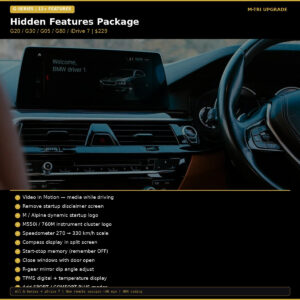
Hidden Features F-Series ($199) or Hidden Features G-Series ($229)
⚠️ Please provide your VIN after purchase
To schedule your session we need your 17-digit VIN (found on your windshield, door jamb, or registration). Send it to us after checkout:
📧 info@mtriupgrade.com |
📲 WhatsApp +64 21 920 905 |
Or add it to your order notes at checkout.
{
“@context”: “https://schema.org”,
“@type”: “FAQPage”,
“mainEntity”: [
{
“@type”: “Question”,
“name”: “What does BMW Alpina instrument cluster coding do?”,
“acceptedAnswer”: {
“@type”: “Answer”,
“text”: “BMW Alpina instrument cluster coding changes your BMW’s digital display layout to the Alpina-style dashboard u2014 featuring the signature Alpina speedometer fonts, gauges, and colour scheme via software coding.”
}
},
{
“@type”: “Question”,
“name”: “Which BMW models support Alpina instrument cluster coding?”,
“acceptedAnswer”: {
“@type”: “Answer”,
“text”: “Alpina cluster coding is compatible with BMW F and G Series models that have the digital instrument cluster (Live Cockpit) u2014 including F30, F10, G20, G30, G05, and more.”
}
},
{
“@type”: “Question”,
“name”: “Is Alpina instrument cluster coding reversible?”,
“acceptedAnswer”: {
“@type”: “Answer”,
“text”: “Yes. Alpina coding is a software change and can be reverted to the standard BMW display at any time during a follow-up coding session.”
}
}
]
}
Reviews
There are no reviews yet.