
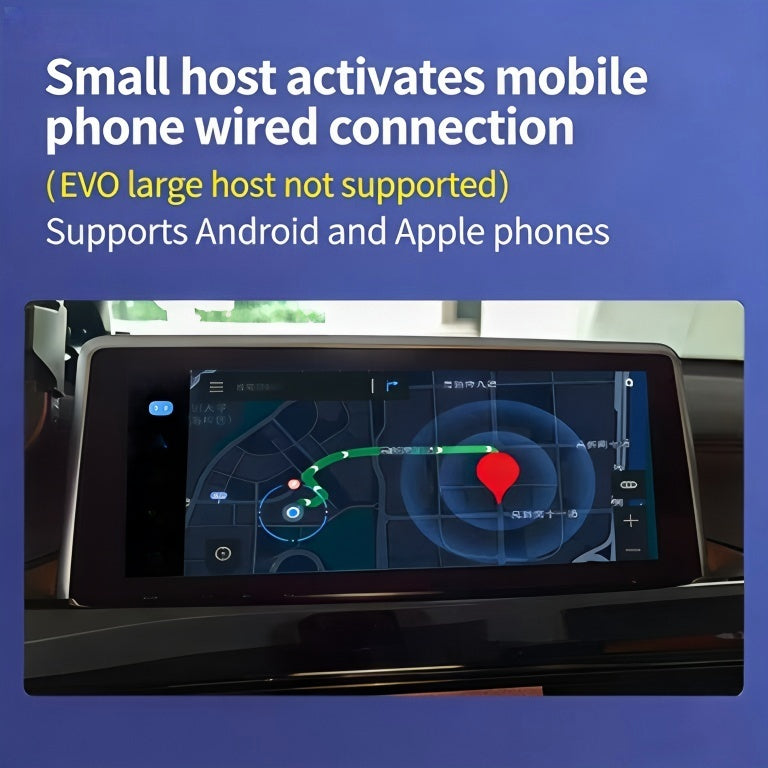
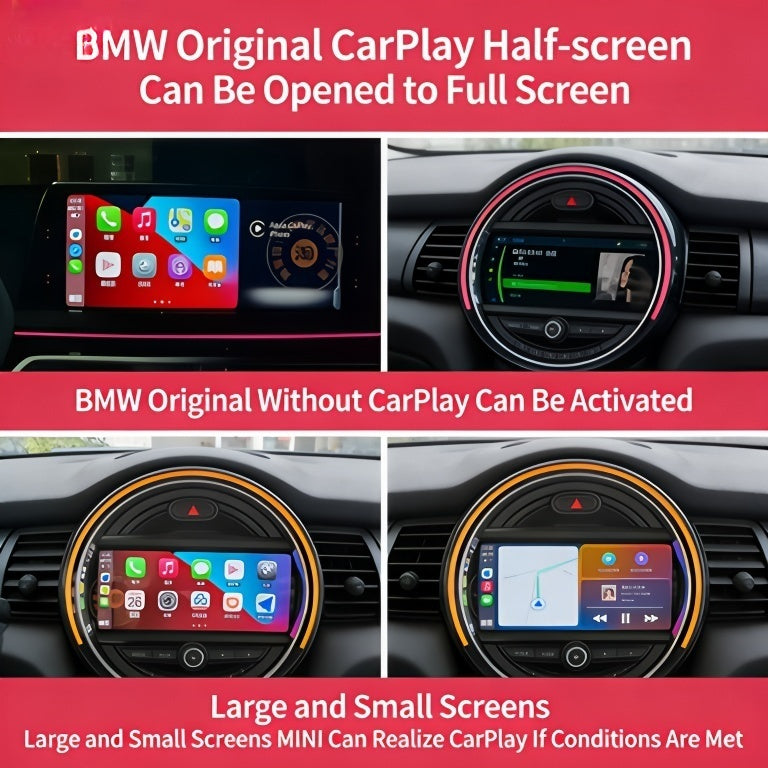
Description
BMW iDrive 8 and 8.5 CarPlay fullscreen activation expands Apple CarPlay from the default layout to fullscreen mode on the curved MGU2 display. This remote ENET service also enables Video in Motion and Android Auto. Compatible with G20 L…
Quick Answer
BMW iDrive 8 and 8.5 CarPlay fullscreen activation expands Apple CarPlay from the default layout to fullscreen mode on the curved MGU2 display. This remote ENET service also enables Video in Motion and Android Auto. Compatible with G20 LCI, G30 LCI, G05 LCI and all G-series with iDrive 8/8.5. Session via TeamViewer takes 30 minutes.
BMW CarPlay Full Screen Activation removes the split-screen limitation and enables full-screen Apple CarPlay on iDrive 5, 6, 7, and 8. Remote coding session via ENET cable. Works on NBT Evo and MGU head units. $459 USD at M-TRI UPGRADE, worldwide service.
Sound familiar?
- Your CarPlay is stuck in that cramped half-screen split view and the map is almost unusable while driving?
- You found out full-screen CarPlay exists but BMW locked it behind a software option your car didn’t come with?
- Your dealer quoted you a ridiculous amount to enable something that’s already sitting dormant in your iDrive?
- You bought the car expecting full CarPlay and only discovered the split-screen limitation after driving away from the lot?
- Your mate’s newer BMW shows CarPlay across the whole screen and yours is wedged into half of it?
- You’ve been putting up with it for months hoping BMW would push an update — they haven’t, and they won’t.
BMW CarPlay Full Screen Activation
Unlock full-screen Apple CarPlay on your BMW’s iDrive display. No more split-screen — use the entire display for navigation, music, and apps.
What It Does
- Full-screen CarPlay — maps, music, and apps fill the entire iDrive screen
- No more split view — eliminates the default half-screen limitation
- Widescreen support — optimised for BMW’s widescreen displays
- Retains all iDrive functions — switch between CarPlay and iDrive seamlessly
Compatible Vehicles
BMW models equipped with iDrive 7 (MGU) or iDrive 8 systems, including 1-8 Series, X1-X7, and Z4 (2019+).
Installation
Plug-and-play activation module. No coding or software tools required. Install in under 10 minutes.
What’s in the Box
- CarPlay Full Screen activation module
- Installation guide
Warranty
365-day product warranty. Reversible. No warranty impact on your vehicle.
Frequently Asked Questions
Why is my BMW CarPlay only showing in a small box on the screen?
BMW’s stock CarPlay implementation on NBT EVO uses a windowed layout that wastes screen real estate. This activation switches it to full-screen mode so CarPlay (Maps, music, messages) uses your entire display.
Will this work on iDrive 7 (MGU) or only NBT EVO?
This specific activation targets NBT EVO / iDrive 6 (typically 2017-2019 BMW models). iDrive 7 (MGU) handles CarPlay differently and we have a separate module for those vehicles.
Do I need to bring my car to you, or is this remote?
It’s a remote coding service performed via OBD interface. You connect a compatible OBD cable (we can include one), we connect remotely and apply the change in 10-15 minutes.
Will this affect any other iDrive functions?
No. The change is isolated to CarPlay display behavior. Native iDrive, navigation, radio, vehicle settings — all unaffected.
Is the change reversible if I sell the car?
Yes. We can revert to factory windowed-mode CarPlay any time via a second remote session at no extra charge within the warranty period.
{“@context”: “https://schema.org”, “@type”: “FAQPage”, “mainEntity”: [{“@type”: “Question”, “name”: “can you get full screen carplay on a BMW without going to the dealer”, “acceptedAnswer”: {“@type”: “Answer”, “text”: “Yes. The full-screen CarPlay capability is already built into your iDrive system — it just needs to be coded on. Our BMW CarPlay Full Screen Activation does exactly that remotely, without a dealer visit.”}}, {“@type”: “Question”, “name”: “why is my BMW CarPlay only showing on half the screen”, “acceptedAnswer”: {“@type”: “Answer”, “text”: “BMW ships many models with CarPlay restricted to a split-screen view by default, reserving part of the display for iDrive widgets. This is a software limitation, not a hardware one, and it can be removed through coding to give CarPlay the full widescreen display.”}}, {“@type”: “Question”, “name”: “is it worth paying for full screen CarPlay on a BMW”, “acceptedAnswer”: {“@type”: “Answer”, “text”: “If you use CarPlay daily for navigation or media, the difference is significant — maps are genuinely readable and the interface stops feeling like an afterthought. At $459, it’s a one-time unlock that changes how you use the car every day.”}}]}
Learn More
⚠️ Please provide your VIN after purchase
To schedule your session we need your 17-digit VIN (found on your windshield, door jamb, or registration). Send it to us after checkout:
📧 info@mtriupgrade.com |
📲 WhatsApp +64 21 920 905 |
Or add it to your order notes at checkout.
Reviews
There are no reviews yet.